I want to preface this by saying that I'm totally stealing this from Megan Hayes-Golding. Please check out her post here!
Megan did this awesome activity where she set up QR codes around her room as a scavenger hunt to help lead her students through the locations of important stuff in her room (like the pencil sharpener and eye wash) as well as some topics they'll be talking about this year.
While I don't really have locations to worry about, I thought it would be fun to put an activity like this together for precalc. I listed 8 different topics we'll be covering this year (parametric eqs, polar, trig, unit circle, vectors, limits, sequences) and then searched online for articles and videos using those ideas.
I created a QR code for each of the links I'd found (if you use Chrome, there's a QR Code Generator in the store that's super easy to use!), then copied and pasted them onto a word document that I'll cut apart and tape around the room.
My goal is to give the kids a good idea of some topics they'll see this year in a fun way (instead of making them guess what we'll do).
I downloaded a new Pirate font (I do love me some fonts!) and then typed up directions for the kids on top of a treasure map. It turned out pretty cute.
Here's what I came up with!
Now I'll just have to pray that the wireless internet at school isn't acting goofy on Wednesday. Fingers crossed!
Showing posts with label QR code. Show all posts
Showing posts with label QR code. Show all posts
Wednesday, August 15, 2012

Monday, August 13, 2012
#Made4Math August 13
How did it get to be August 13th already?! So much to do, so little time.
I finished up my room last week at school so I'm hoping to not go in this week. There's definitely stuff I could get done (like copies and such) but I'd rather spend time with the kids doing fun stuff. As long as they're not fighting, anyway.
So my #made4math today is the sticker I made for each of my kids. Last summer I bought a couple of packs of Avery shipping stickers. The Avery website has templates that you can pick from to create your stickers, one of which includes a QR code generator. I typed in the information that I wanted on it, printed, and voila! Stickers.

I passed them out to the kids on the first day and told them to stick it on their school-issued planner. Last year I kept a blog for each class and had the QR code go there; this year we're using a platform called Schoology so that's where the code goes.
I don't think too many kids actually used the QR code (or knew what it was until I told them) but some of the more techy ones thought it was pretty cool. Dan Bowdoin just posted on his blog some neat ideas to use QR codes in the classroom that I'd like to try.
I finished up my room last week at school so I'm hoping to not go in this week. There's definitely stuff I could get done (like copies and such) but I'd rather spend time with the kids doing fun stuff. As long as they're not fighting, anyway.
So my #made4math today is the sticker I made for each of my kids. Last summer I bought a couple of packs of Avery shipping stickers. The Avery website has templates that you can pick from to create your stickers, one of which includes a QR code generator. I typed in the information that I wanted on it, printed, and voila! Stickers.
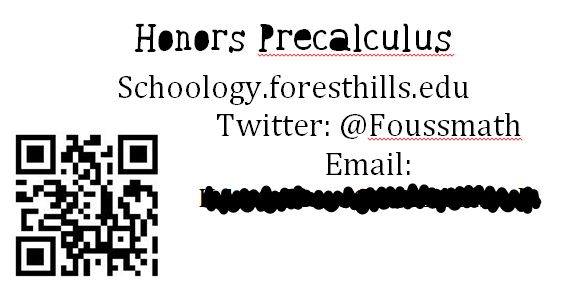
I passed them out to the kids on the first day and told them to stick it on their school-issued planner. Last year I kept a blog for each class and had the QR code go there; this year we're using a platform called Schoology so that's where the code goes.
I don't think too many kids actually used the QR code (or knew what it was until I told them) but some of the more techy ones thought it was pretty cool. Dan Bowdoin just posted on his blog some neat ideas to use QR codes in the classroom that I'd like to try.
Subscribe to:
Posts (Atom)